 CLOCKCOST
Open the app
CLOCKCOST
Open the app
CLOCKCOST
Open the app
CLOCKCOST
Open the app
Free to install · GPS verified · Works offline
A time clock that knows where the crew is, a receipt scanner that files materials to the right property, and a ledger that tells you what every job actually cost.
Crew apps do hours. Accounting does dollars. Clockcost does both.
The record
How it works
No onboarding call, no import spreadsheet. Three things and the crew is punching in.
Names and PINs for the crew. Addresses for the properties — Clockcost geocodes them so the GPS check works from day one.
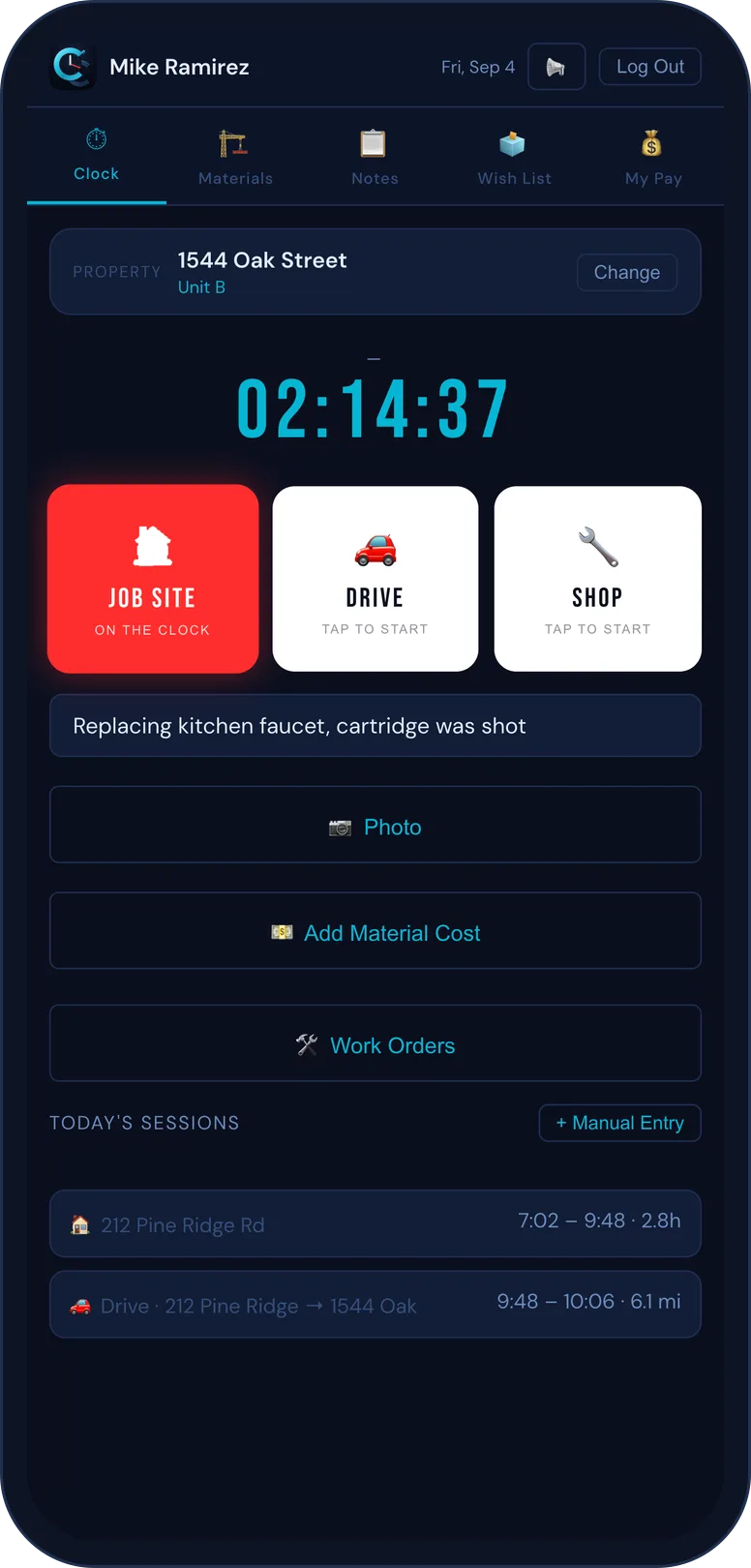
Web, iPhone, or Android. No accounts, no passwords, no app-store sign-ups. A PIN and they're in.
Pick a period, pick a property or a person, export. The numbers are already there because the crew put them there on site.
Payroll, job costs, materials, work orders, timesheet edits with history, archived deletes with restore, and a wish list where the crew tells you what the app should do next. Runs in any browser.
Everything exports as CSV. Nothing is locked in, and there's no per-export fee. Built by someone who reconciles his own QuickBooks.
The punch
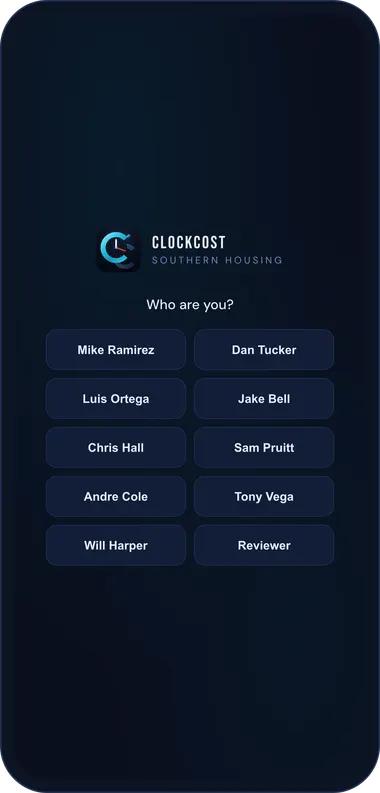
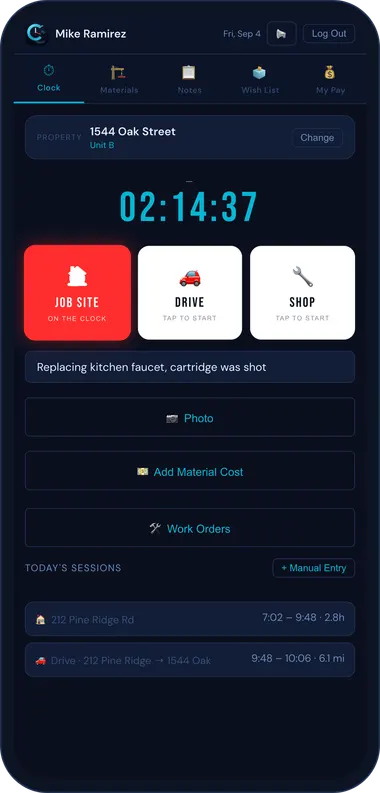
Tap Job Site, Drive, or Shop. The punch is stamped with the phone's position and checked against the property, so the hours land where the work happened.
Three kinds of time, kept separate. Drive time knows where it started and where it ended. Shop time doesn't get billed to a property by mistake.
Still clocked in and 500 meters away for five minutes? The app asks. Forgotten punches get caught the same day, not on payroll Friday.
No signal at the back of the property? The punch is recorded on the phone and syncs when you're back in range. Nothing waits on a bar of LTE.
Forgot to punch? Add it by hand. It's marked as manual, and every later change to it is logged with who and when.
Multi-unit buildings prompt for the unit. Sixty-one properties with search that finds "1544" the moment you type it.
Materials
Photograph a receipt and Clockcost reads the merchant, the amount, and the line items, then files the expense against the job you're clocked into.
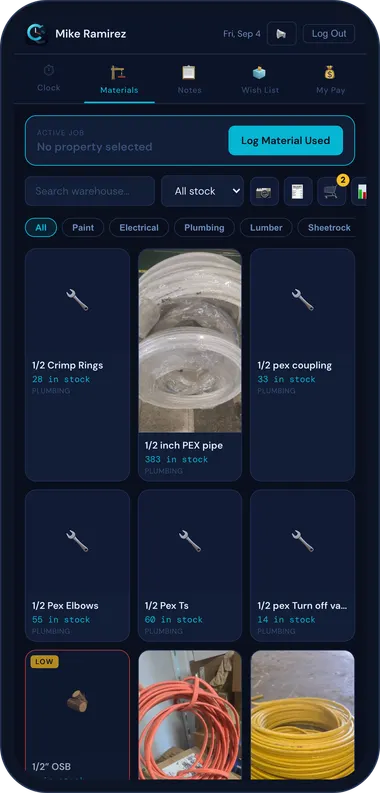
What's on the shelf, by category, with low-stock flags. Pull from stock on a job and the count moves.
Scan the label when the truck comes back from the supply house. No typing part numbers.
A picture of the fitting beats a description of the fitting. Every material can carry one.
Work orders & notes
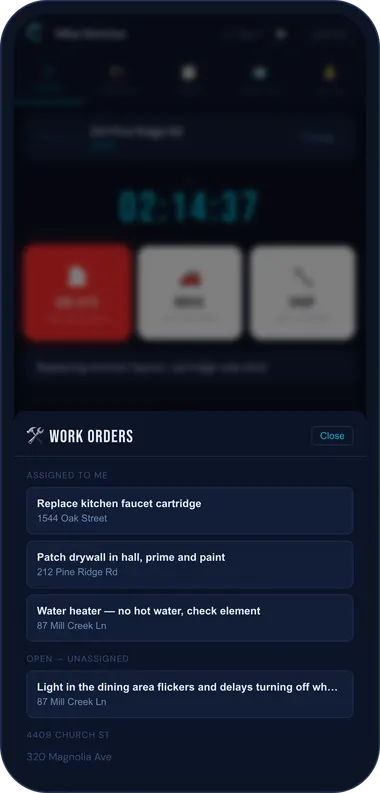
Assign work to a person and a property. Leave a punch list. Attach the photo of the thing that's wrong. It's all waiting on the property when the crew gets there.
Open work orders show who owns them and which come first. Unassigned ones sit in a queue anyone can pick up.
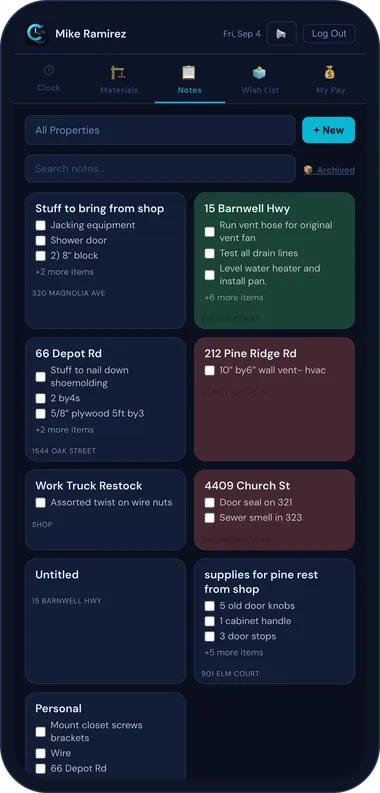
Checklists per property: what to bring, what to check, what the owner said. Check them off on site.
Link a session to a work order and the labor and materials roll up to it. "What did that leak cost us" becomes a number.
Job costs & pay
Labor, materials, and overhead roll up per property, per crew member, per date range. Filter and search everything. Export to your books.
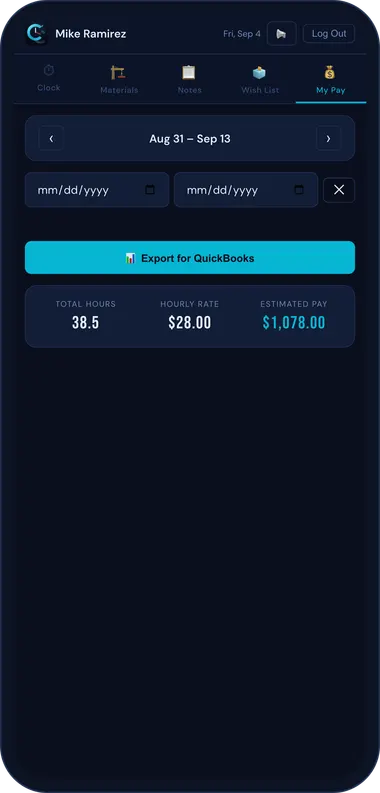
Pick a person and a pay period. Hours, rate, total. Custom date ranges, not just "last two weeks."
Set your overhead percentage, bill rate, and material markup once. Every job cost report applies them.
Payroll, job cost, and mileage reports export as CSV that drops straight into your accounting. Built by someone who does his own books.
Change a timesheet and the old value stays in the history with who changed it and when. Delete a session and it goes to an archive you can restore from.
Each worker sees their own hours and estimated pay for any period. Fewer "what am I getting Friday" texts.
Pricing
Workers never pay. Companies subscribe per crew member, and that's the only line item.
Clockcost is running its first outside companies. If you run a crew and want in early, email us and we'll set you up by hand.
The full app for every worker, the admin dashboard, exports, and a person who answers email. No feature tiers.
Charge per punch, sell your data, or make you call sales to see a price. Published per-seat pricing arrives with the public launch.
support@clockcost.com — tell us how many on the crew.
Built by an operator
Clockcost was built inside Southern Housing LLC, a property management company in Williston, South Carolina, because nothing on the market did time and job cost together without a sales call.
Nine 1099 contractors have punched in on it every working day for two years. The materials tracker exists because receipts were getting lost. The leave-site reminder exists because someone drove home clocked in. The audited edits exist because the books have to reconcile. Every feature was a real problem on a real job before it was a screen in the app.
Already on a crew? Open the app and tap your name. Your company gives you the PIN.